
 By Melissa Arndt
Date of Creation: 2026-10-09
Last Update: 2026-10-09
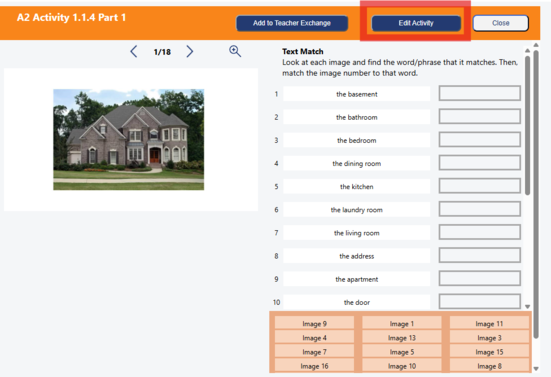
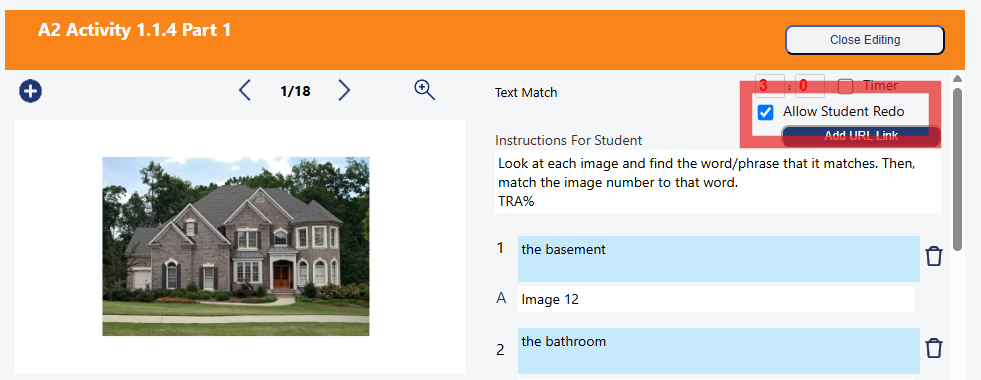
If you know ahead of time which activities you want students to redo, before assigning the folder, open the activity, click the Edit activity button, and put a check mark in the box Allow Student Redo.
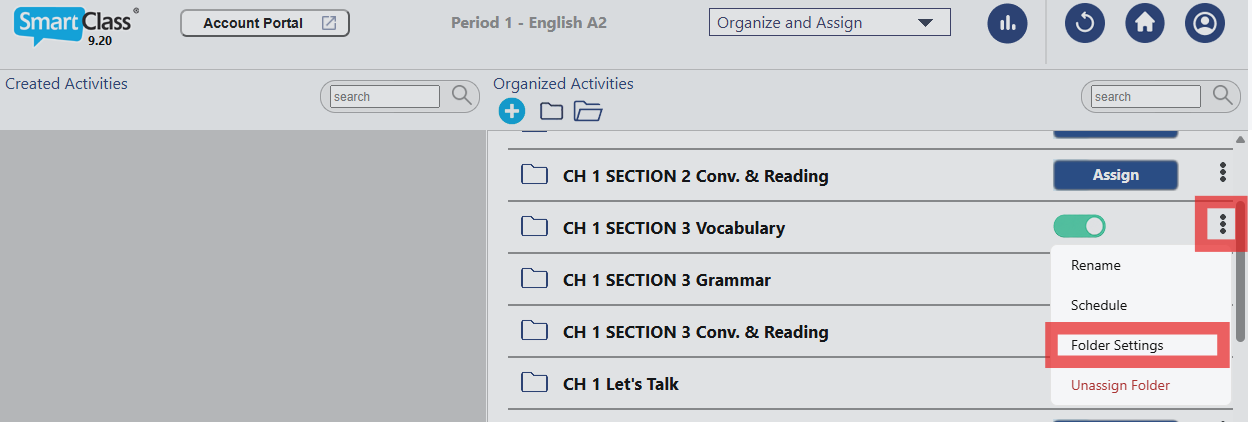
If the folder has already been assigned and you want to allow all of the auto-graded activities in the folder to be redone, click on the three dots next to the green toggle, and click on Folder Settings.
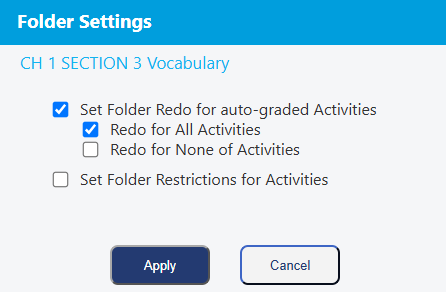
Check the box Set Folder Redo for auto-graded Activities, and it will automatically check the box to allow all redos for that folder once you click Apply.
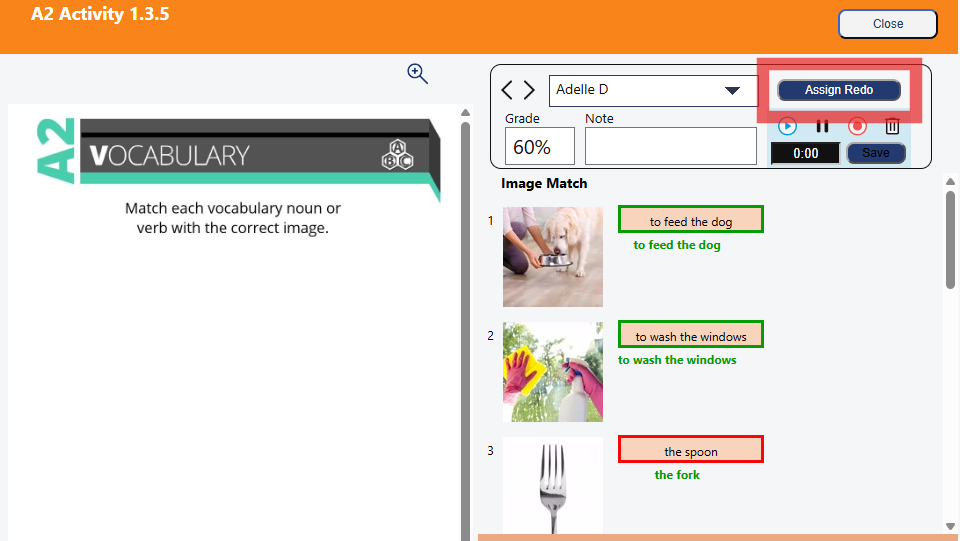
Lastly, if a student has completed an activity but the score is low, and you want that student to redo the activity, in the Review Work view, click on that activity for the student, and click Assign Redo.
Contact us if you would like more information.