 By Melissa Arndt
Date of Creation: 2025-01-12
Last Update: 2025-001-12
The SmartClass Usage Report  is an essential monitoring tool designed to provide teachers with detailed, data-driven insights into their classes' engagement, pacing, and student progress on assigned activities within the SmartClass Teaching Platform. This report helps educators track key metrics for both the entire class and individual students, enabling them to make informed decisions and tailor instruction effectively.
Key Features for Teachers: Class View
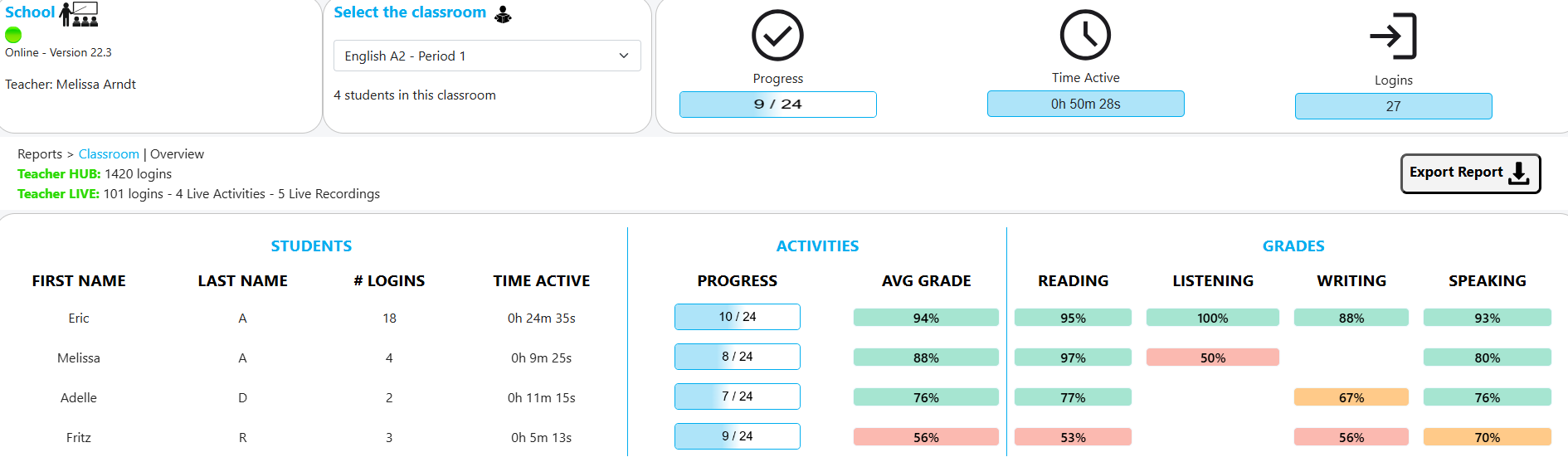
When a teacher accesses the Usage Report, the initial view allows them to select any of their classes to get information on the overall completion rate of the assigned activities, the total combined time students in the class spent actively working within the SmartClass, and the total count of student logins for the entire class over the reporting period.
This high-level overview helps the teacher quickly assess the overall engagement and workload completion for each class.
The teacher can drill down to a class roster view that presents key metrics for each individual student. This allows for quick identification of students who may be excelling or those who might need additional support or encouragement. This report can also be exported.
|
Metric |
Description |
|
Total Logins |
The total number of times the individual student logged into the SmartClass Teaching Platform. |
|
Time Active |
The total time the individual student spent actively working on activities. |
|
Activity Progress |
The number of activities students have completed out of how many have been assigned in total. |
|
Average Grade |
The grade average of all completed activities. |
|
Skill Grades |
The student's performance or average grade across the four core language skills: Reading, Listening, Writing, and Speaking. |
Student Activity View: The Individual Breakdown
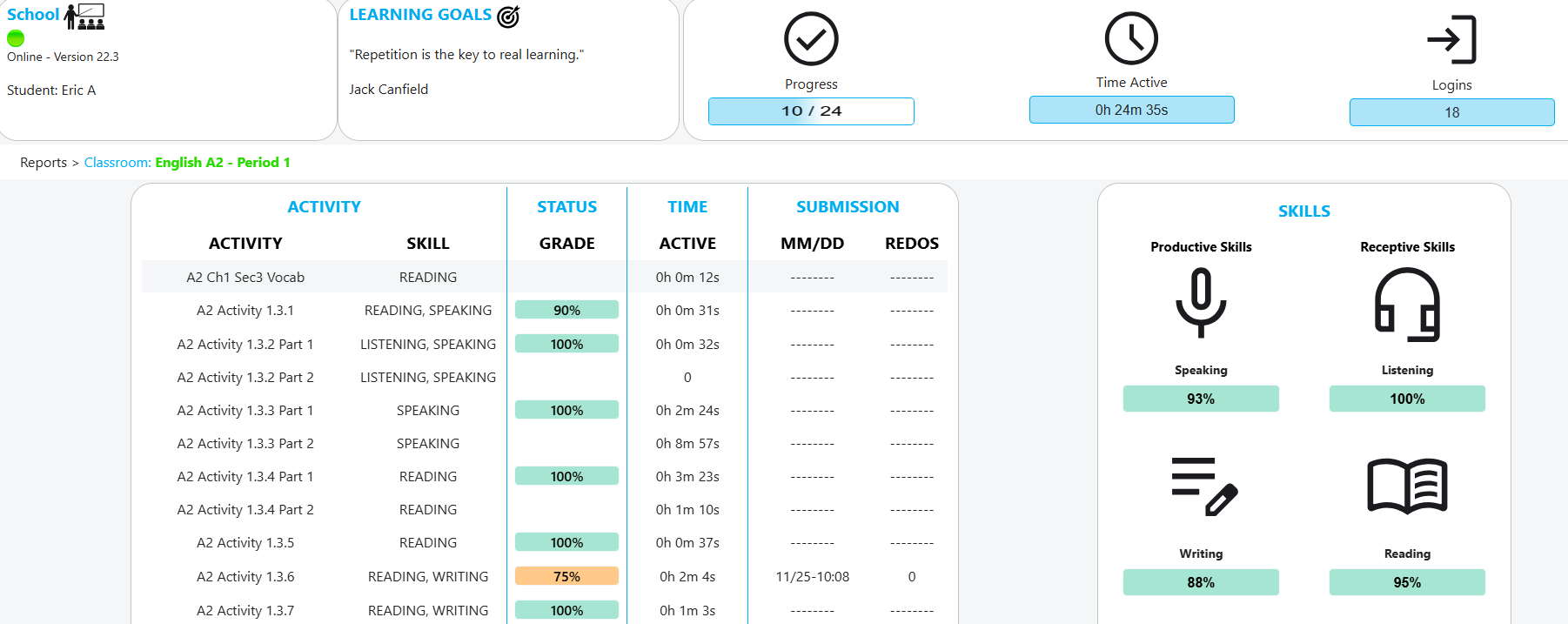
When a teacher clicks on an individual student from the class roster, the report displays the same detailed view that the student sees when checking their own usage. This granular level of detail provides an in-depth history of the student's work and efforts.
This view lists every assigned activity and includes the following data points:
- Activity Name: The title of the specific assignment.
- Skill: The primary language skill addressed by the activity (e.g., Reading, Speaking, etc.).
- Grade: The score or result the student received on the activity.
- Time Active: The duration the student spent working on that specific activity.
- Activity Date and Time Submission: The timestamp of when the student completed and submitted the activity.
- Number of Redo Attempts: The count of times the student attempted the activity before the final submission.
This comprehensive report acts as a powerful analytical tool, transforming raw data into actionable insights for monitoring growth and setting personalized learning goals.
Contact us if you would like more information.