
 By Melissa Arndt
Date of Creation: 2026-22-07
Last Update: 2026-07-08
Say goodbye to the gray circles for assigning work!
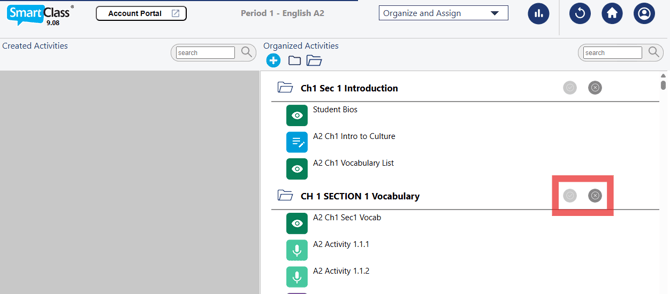
Making activities available is now easier, and edits can be made to folders, allowing you to better organize your curriculum.
First, let's look at assigning:
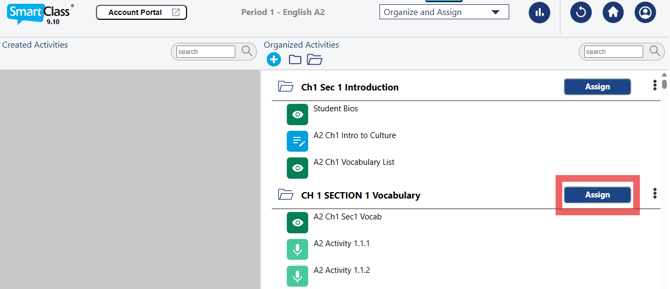
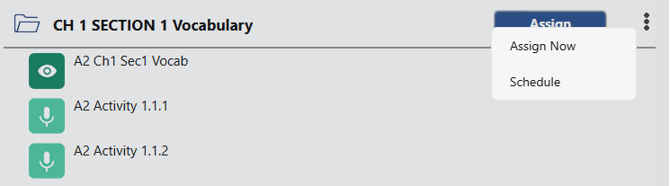
Once you click the Assign button, you have the option to either Assign Now or Schedule.
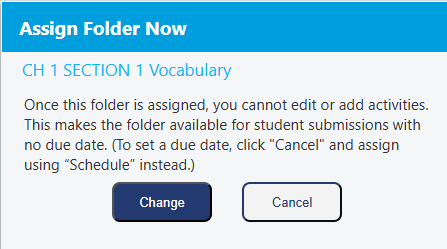
When clicking Assign Now, you are prompted to change the folder status to make the work available immediately. The toggle will turn blue once it is assigned.
You can make the folder unavailable by moving the toggle to the left, making the activities unavailable for students to complete. Students can choose to view Current activities and reflect on previously completed activities under All Activities.
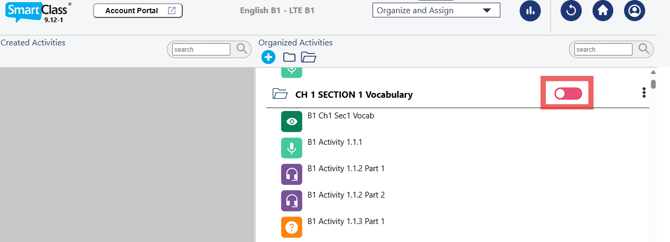
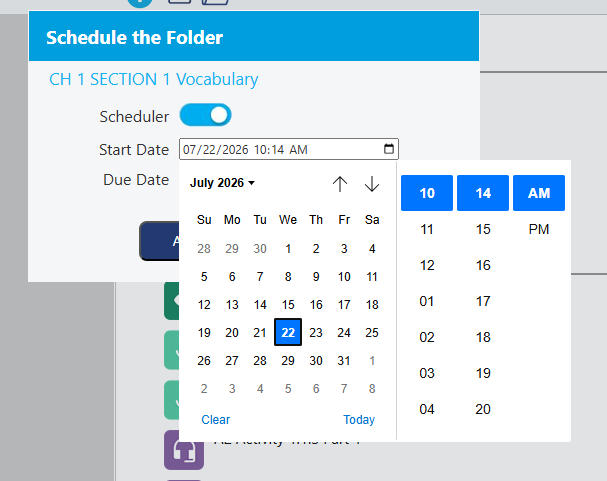
If you select "Schedule," you are asked to provide the start date and time, as well as the due date and time, by clicking on the calendar icon. The toggle will turn yellow if it has been scheduled for a later date.
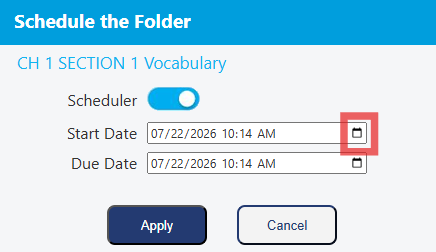
When assigned, the folder will become available, and you can rename the folder, make edits to the scheduler, change folder settings, or unassign the folder by clicking on the three dots.
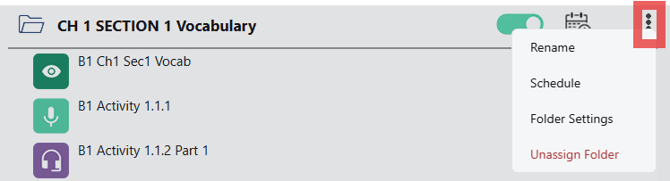
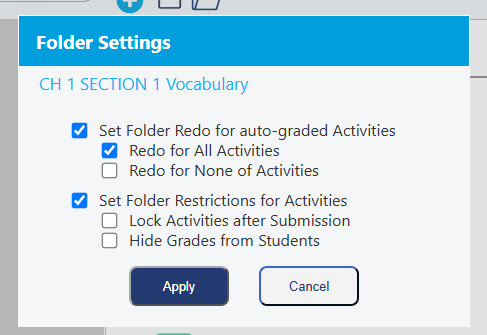
The Folder Settings option allows you to apply redo and restrict settings to the activities in that folder.
For folders that have yet to be assigned, there are additional options: Rename, Move, or Delete the folder by clicking the three dots.
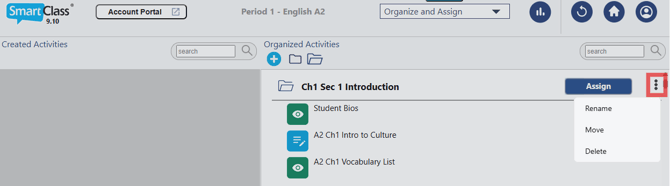
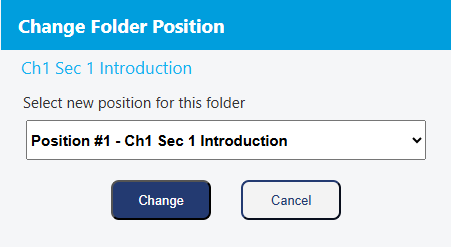
Rename let's you edit the name of the folder, while Delete deletes the entire folder. Move allows you to change the position of the folder among other folders.
These folder options help you to organize your school year and give you added personalization to your platform. Watch this video to see these changes.
Contact us if you would like more information.