
 By Gerry Sullivan Service Team
Date of Creation: 2019-11-23
Last Update: 2023-02-17
To access the administrator page, launch the SC Media Teacher by clicking on this icon:
 OR
OR 
Administrator Login
1- Enter the administrator credentials and click on the Administrator button.
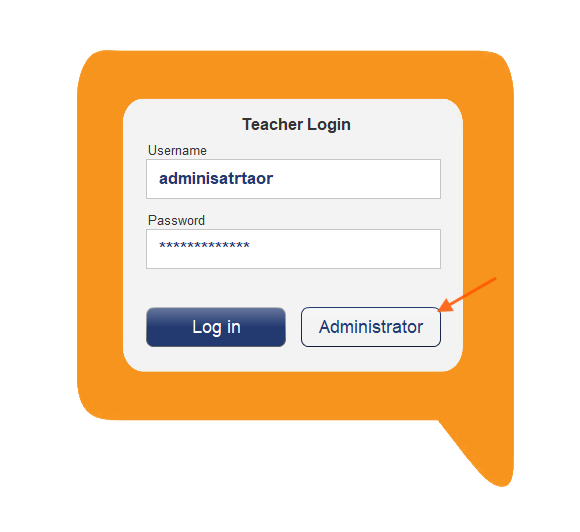
If you have lost the default administrator credentials or the new administrator credentials, please Contact us
After logging in and you will see this window:
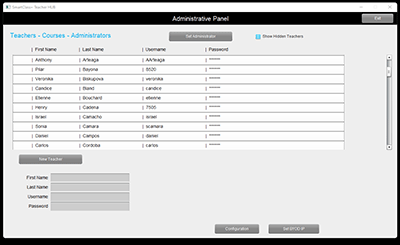
Click on the Configuration button to open this menu:
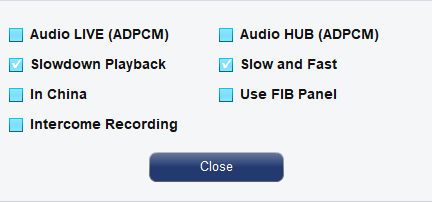
- Configuring ADPCM compression for audio intercom (LIVE) and audio recordings (LIVE & HUB).
- Configuring LDAP/LDAPS directory support.
- In China (not functional)
- Slowdown Playback (of audio tracks for students).
- Slow and Fast (Playback of audio tracks for students).
Set BYOD IP button:
- If the SmartClass System includes a BYOD manager, the IP for the server hosting it must be entered here.
Contact us if you would like more information.