 By Melissa Arndt
Creation Date: 2024-07-10
Late Update: 2025-14-11
SmartClass is excited to incorporate AI Conversation activities into the English, German and Spanish curricula. These activities have been created with a focus on level-appropriate conversation expectations that match what students have learned throughout each chapter. They are currently only available in the SmartClass web version and are set to automatic redo, for the time being.
Watch this Instructional Video to see more about these activities!
The activities are auto-graded and are based on the following criteria:
1. Answering all questions
2. Staying on topic
3. Using complete sentences
4. Using appropriate grammar and vocabulary
Teachers are not able to create these activities on their own but do have the option to edit the format of the activity. Three options for the AI activities are Text, Text & Speech, and Speech.
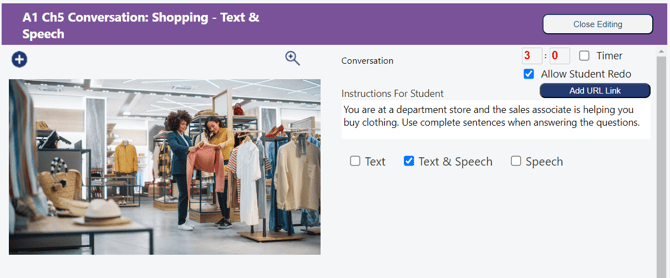
With a Text activity, students are asked to read the conversation with the AI and are expected to type their response.
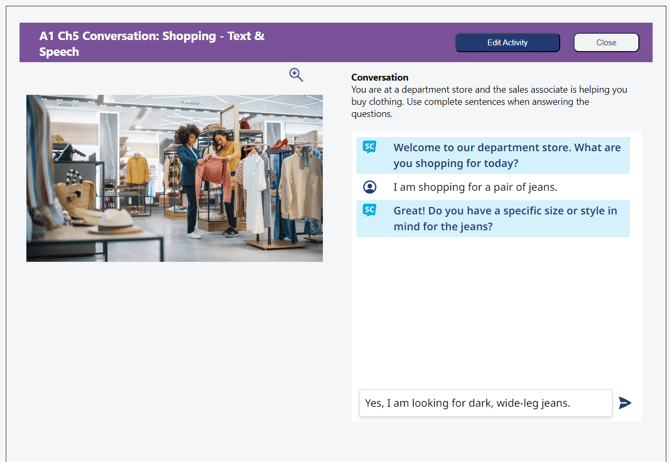
A Text & Speech activity requires students to listen to the AI portion of the conversation, while allowing them to read along, and respond verbally. Students click "Start Recording" to record their responses and their answers will be written out.
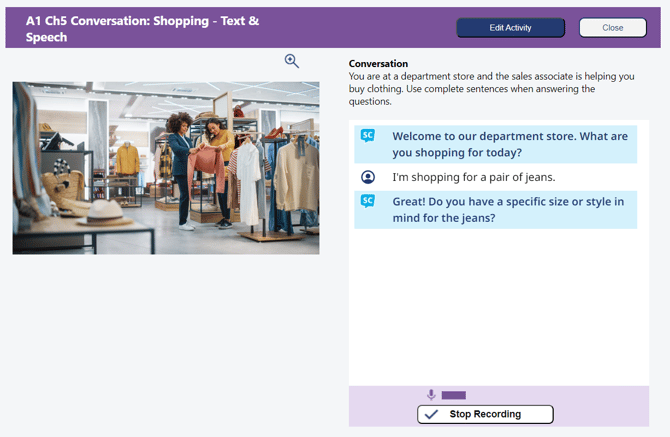
With Speech activities, students do not have the option to read the AI portin of the conversation until after they have responded, upping the expecation to comprehend the conversation purely by listening and speaking.
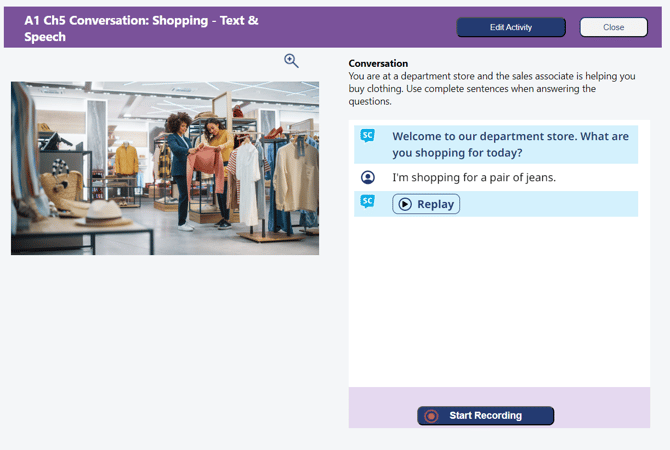
For teachers who are not new to the SmartClass curricula, these activities can be added to your classes through filtering, which you can read more about in this knowledge base article.
Here are some frequently asked questions and answers:
1. Which artificial intelligence provider or source is used in SmartClass?
We use a mix of AI providers depending on different functionalities. We use 3 different ones: Google Gemini, Speech Ace, and Open AI.
2. Are students’ responses used to improve or influence future AI answers? In other words, does the AI in SmartClass “learn” from the students’ input?
None of the responses are used to improve AI since we pay for these AI services and have opted out of that.
3. How does the system handle inappropriate, vulgar, or offensive language? How does the AI respond in such cases?
We have educated the AI to redirect a student if they answer in an inappropriate or vulgar way. If the student continues to try to go down that path, we stop the activity where they can no longer engage. The student has two choices. Close the activity and enter again to engage appropriately OR submit the activity, and the teacher sees what the student was saying and why AI stopped engaging. The AI feedback will also express this in the comment section.
Contact us if you would like more information.